


SharePoint Records Management

SharePoint Records Management for managing Document Records

How do you keep track of all the activity and transactions performed within the organization? Obviously, by recording all the transactions. However, managing document records efficiently sets another target for the whole organization. What exactly is record management? Why is it so important? There are many questions like this. We will talk about all the aspects and explore how is it beneficial to use SharePoint records management.

What is a Record?

Records are documents or other electronic or physical entities that serve as evidence of any particular activity. Organizations have records of every single transaction done within the organization. Records require retention for a specific period.

A report can be seen in many formats, including paper documents, electronic files, emails, and even social media content.
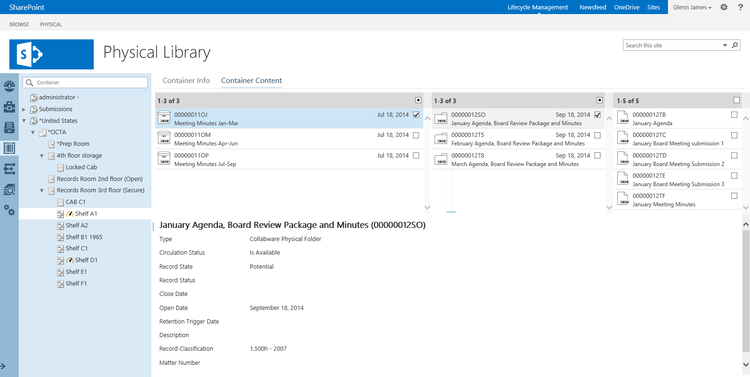
What is SharePoint Records Management in SharePoint?

Records Management Software for SharePoint | Collabware

To handle important records within the organization, users follow a systematic process of records management. It helps in the effective handling of all the records. The steps jotted down below are a part of the whole process:

  • You need to determine what importance is to be considered as a report.
  • Choose for handling active documents that will be becoming records.
  • Finalizing retention periods for each of the records.
  • Opting for some technological solutions and business processes for efficient records management in SharePoint.
  • Performing various tasks like disposing of expired records or protecting records related to external events like lawsuits.

Key Elements of a SharePoint Records Management System

Before opting for a SharePoint record management system, you must have some basic knowledge of the key elements. An effective and ideal record management system consists of several crucial components:

  1. Content Analysis for describing and categorizing content in the organization that turns out to be a record. With the help of content analysis, organizations can find source locations and can also describe how the content will move to the records management in the SharePoint application.
  2. File Path to indicate each kind of record in the organization. The file defines the path of the records, policies applicable to them, retention policy, disposal policy, and who oversees managing them.
  3. Defining the rules that the organization’s IT system must follow to ensure compliance. Also, the methods that are been utilized for ensuring the participation of the team.
  4. A process or method to collect records that are no longer active from all the record sources including collaboration servers, file servers, and email systems.
  5. Methods to audit records while they are still in active status.
  6. Process to capture records metadata and audit histories. This will also help in better maintenance of the records.
  7. A procedure for keeping records (waiting for their disposal) in the case of legal proceedings.
  8. A system for tracking and reporting on record handling to make sure that staff members are filing, accessing, and handling information in accordance to the established guidelines and procedures.

How to manage records in SharePoint Server?

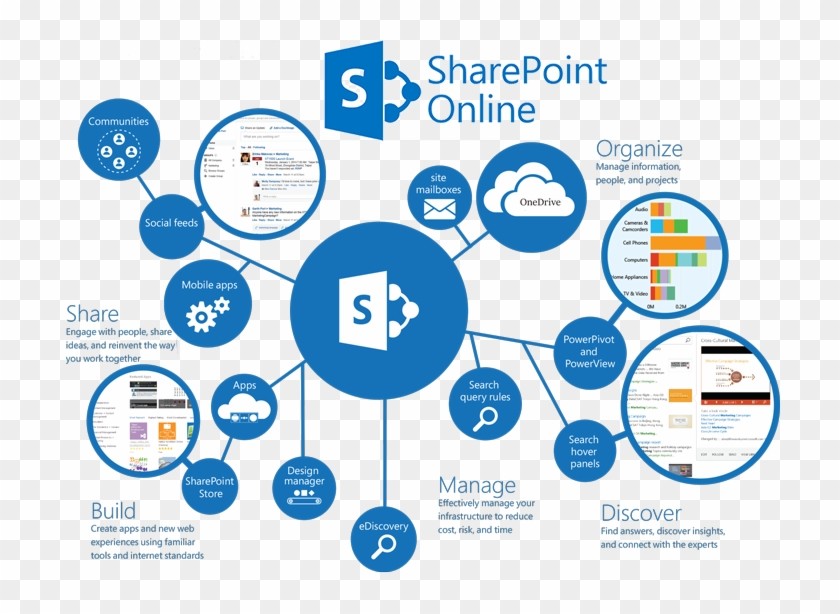
SharePoint Online features for document Management System

To establish an effective and streamlined records management system, businesses can adhere to the steps outlined below:

  1. Establish Key Roles
    • Records managers and compliance officers
    • IT personnel
    • Content managers
  2. Conduct Content Analysis: Check and assess the usage of the documents for identifying potential records.
  3. File Plan Creation: Create and develop a comprehensive plan detailing record type, storage locations, retention policies, and management roles.
  4. Fix Retention Schedules: Start by determining the active periods, retention durations, and disposal methods for every individual record type.
  5. Optimize Document Management: Make sure to store the proper policy application and auditing in document repositories.
  6. Customize Records Management Solution in SharePoint: You can customize the records management solution and choose between a centralized archive, in-place management, or hybrid approach. You can design the records management in SharePoint based on the file plan, including content types, libraries, and metadata.
  7. Plan Record Creation Process: Build workflows to move documents to archives or declare records in place. Start by creating the user training programs.
  8. Integrate Email Management: You can also integrate email management within SharePoint if you are looking to manage email records.

The Importance of SharePoint Records Management

After understanding everything about records management in SharePoint, let us now talk about the importance of using records management.

  • Legal Protection: You are protected from any lawsuits if you have the right records. Proper retention and disposal of records help safeguard the organization in legal matters.
  • Regulatory Compliance: Organizations maintaining right and required records are demonstrating adherence to regulatory obligations.
  • Increased Efficiency: It increases efficiency since you are now able to timely dispose of outdated items, streamlining organizational processes.
  • Risk Mitigation: With a proper centralized repository and management of records you can reduce the risk of losing critical information.
  • Cost Reduction: Without switching to any third-party application or getting another license you can utilize your existing SharePoint server to manage your records.

Conclusion

One of the critical aspects of modern business operations is SharePoint records management. Businesses can ensure to safeguard themselves from legal issues, improve efficiency, and protect valuable information assets by implementing records management in SharePoint.

From developing to executing the management portal for records, the process can be complex but breaking it down into manageable steps. Using additional tools like SharePoint Server can make implementation more straightforward. However, you should remember that effective records management is an ongoing process that requires regular review and adaptation to meet the changing needs of organizations.

FAQ’s

How many records can SharePoint handle?

A library may contain up to 30 million files and folders, while a list may have up to 30 million entries. A list, library, or folder cannot have its permissions inheritance broken if it has more than 100,000 items in it. Additionally, you cannot inherit its permissions.

What are the 4 types of records?

Official records, transitory records, non-records, and personal records are the four categories of records. While some records have extended retention periods, others are only preserved for a brief period of time.

Is SharePoint a CMS or DMS?

SharePoint is primarily considered a Document Management System (DMS), as it provides robust capabilities for organizing, storing, and managing documents. However, it also functions as a Content Management System (CMS) due to its ability to handle various types of content and facilitate collaboration across teams
 

Comments are closed